Mesh and Resolution
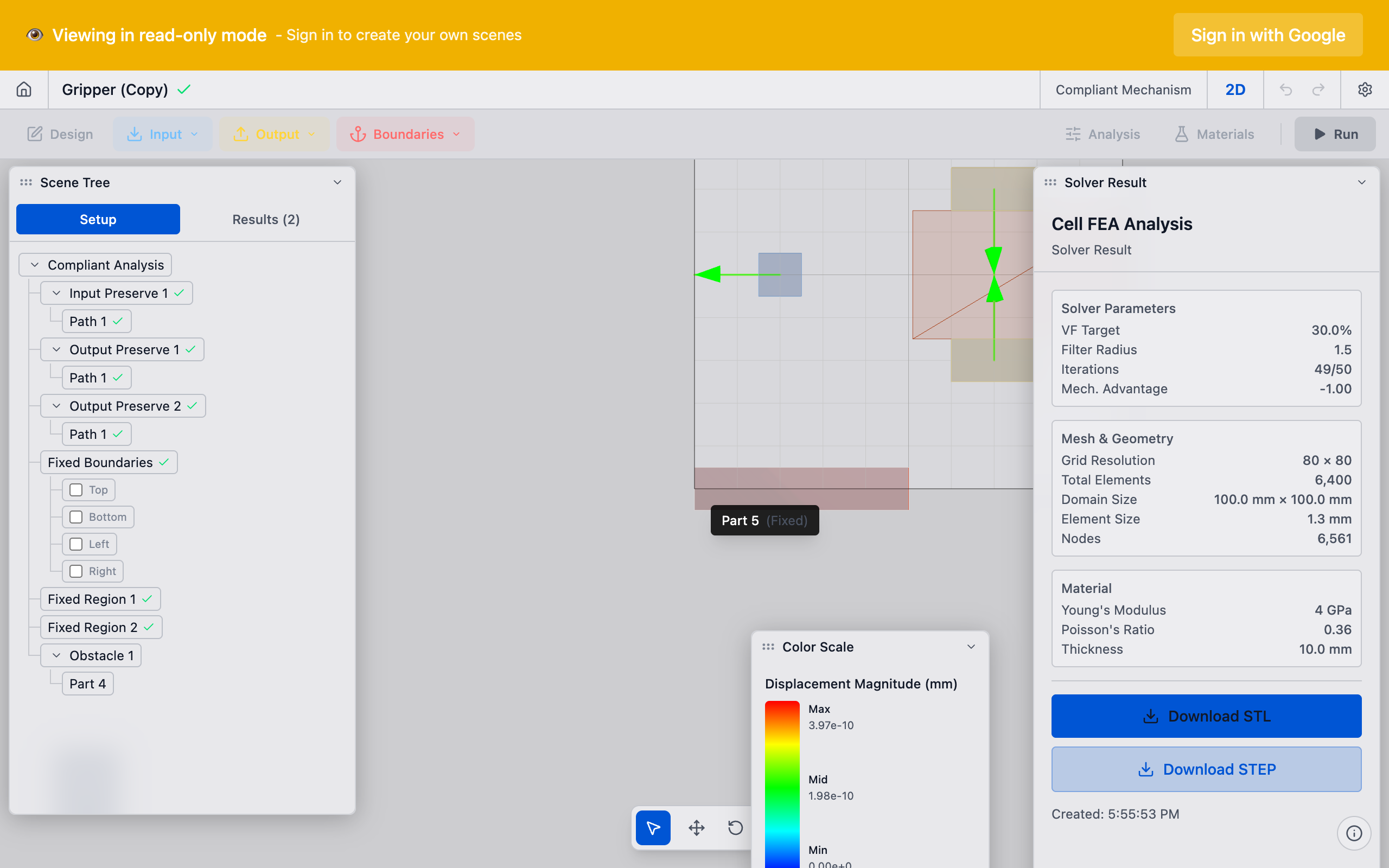
The mesh is the grid of cells that discretizes the design space. Each cell is a small computational unit with a single design value. The mesh resolution — how many cells the design space is divided into — directly controls the level of detail in the optimized design, the minimum achievable feature size, and the time required to solve.
Why It Matters
Mesh resolution is the bridge between your continuous design intent and the discrete computation the solver performs. The optimizer can only create features that span at least a few cells. If the mesh is too coarse, fine structural details (thin flexures, narrow connections) cannot be represented. If the mesh is too fine, solve times become impractical.
Choosing the right resolution is a balance between accuracy and computational cost. Understanding this trade-off helps you get good results efficiently.
How It Works
Mesh Generation
deFlex uses a structured (regular) grid of cells. The mesh generation process:
- Bounding box: the design space's bounding rectangle is computed
- Element size: the user specifies the target element size (e.g., 1 mm)
- Grid creation: the bounding box is divided into a regular grid of square cells
- Classification: each cell is classified as active (design space), passive solid (preserve), or passive void (outside boundary / holes)
The total cell count is: N = (width / element_size) * (height / element_size)
For example, a 300 mm x 300 mm design space at 1 mm resolution produces 90,000 cells.
Cell Properties
Each cell in the mesh has:
- 4 corner nodes
- 2 DOFs per node (X and Y displacement)
- 1 design value (for active cells)
- Structural properties computed from the material density
The mesh cells provide a good balance between accuracy and computational cost for 2D design optimization. They are numerically stable and efficient to process.
Resolution and Feature Size
The minimum feature size the optimizer can create is approximately 2-3 cells wide. This is enforced by the feature-size filter, which smooths the material layout over a neighborhood of cells. Features smaller than the filter radius cannot form.
| Element Size | Min Feature Size | Best For |
|---|---|---|
| 2.0 mm | ~5 mm | Quick exploration, large design spaces |
| 1.0 mm | ~2.5 mm | Standard resolution, most problems |
| 0.5 mm | ~1.2 mm | Fine detail, final design |
| 0.25 mm | ~0.6 mm | High precision, small design spaces |
The filter radius is typically set to 1.5 times the element size. This prevents artifacts and mesh-dependent patterns while allowing the optimizer to create features at a physically meaningful scale.
Practical Guidance
Choosing Resolution
Start coarse, refine later. This is the most efficient workflow:
- Exploration (coarse): use 2 mm elements to quickly test different preserve layouts, volume fractions, and pair configurations. Results in seconds.
- Refinement (medium): switch to 1 mm elements once you find a promising setup. Results in minutes.
- Final design (fine): use 0.5 mm or smaller elements for the design you plan to manufacture. Results may take longer but capture fine structural details.
Most of your iteration time should be spent at coarse resolution. The overall material layout stabilizes at relatively low resolution. Fine resolution adds detail but rarely changes the fundamental mechanism architecture. Only invest in high resolution for the final design.
Resolution and Design Space Size
Match resolution to design space dimensions:
| Design Space | Suggested Element Size | Approximate Element Count |
|---|---|---|
| 50 x 50 mm | 0.5 mm | 10,000 |
| 100 x 100 mm | 1.0 mm | 10,000 |
| 200 x 200 mm | 1.0 - 2.0 mm | 10,000 - 40,000 |
| 300 x 300 mm | 1.0 - 2.0 mm | 22,500 - 90,000 |
| 500 x 500 mm | 2.0 mm | 62,500 |
A sweet spot of 10,000 to 50,000 elements provides good detail with manageable solve times.
Resolution and Solve Time
Solve time per iteration depends on the cell count. The dominant cost is the structural analysis step. Computational cost scales roughly with the number of cells.
Doubling the resolution in each direction quadruples the cell count and roughly increases solve time by a factor of 4-6.
| Elements | Approx. Time per Iteration | Approx. Total (100 iterations) |
|---|---|---|
| 5,000 | < 1 sec | < 1 min |
| 20,000 | 1-3 sec | 2-5 min |
| 50,000 | 3-10 sec | 5-15 min |
| 100,000 | 10-30 sec | 15-50 min |
These are rough estimates — actual performance depends on hardware, problem structure, and solver configuration.
Technical Details
Structured vs. Unstructured Meshes
deFlex uses a structured (regular) grid rather than an unstructured mesh. This choice has significant implications:
Advantages of structured grids:
- Extremely fast processing — cell connectivity is implicit from grid position
- Efficient memory layout — cache-friendly access patterns
- Simple neighbor queries — essential for the design refinement process
- All cells are identical — structural properties can be precomputed once and scaled by density
Disadvantages:
- Cannot conform to curved boundaries — geometry is approximated by the grid
- Uniform resolution everywhere — cannot refine only where needed
- Bolt holes and curved features appear jagged at coarse resolution
For the problems deFlex solves (2D design optimization with predominantly rectangular design spaces), structured grids are highly efficient and the geometric approximation is acceptable at reasonable resolutions.
Design Refinement Filter
The design refinement filter operates on the structured grid:
- For each cell, identify all neighbors within the filter radius (efficient grid lookup)
- Compute a refined design value as a weighted average: closer neighbors have higher weight
- Use the refined value (not the raw value) in the structural analysis
This refinement ensures that the solver produces physically meaningful features and avoids fine-scale artifacts that would be impractical to manufacture.
Mesh Independence
A well-posed design optimization problem should produce qualitatively similar results regardless of mesh resolution. This is called mesh independence and is ensured by the design refinement filter. Without filtering, finer meshes would produce increasingly complex and different layouts — the problem would be mesh-dependent.
The filter radius should scale with element size to maintain a consistent physical filter width. deFlex handles this automatically: the filter radius in element units stays constant (typically 1.5), so the physical filter width scales proportionally with element size.
Mesh independence means the same overall layout appears at different resolutions. The details (exact member widths, crisp transitions) improve with resolution. Do not expect pixel-identical results at different mesh resolutions.
Memory Requirements
Each cell requires storage for:
- 1 design value (8 bytes)
- 8 DOF values at 4 nodes (64 bytes)
- Internal solver data (8 bytes)
- Filter neighbor list (variable, typically 50-200 bytes)
Total memory scales roughly as 150-300 bytes per cell. A 100,000-cell problem uses approximately 15-30 MB for the density and displacement fields. The solver's internal structural model is the dominant memory consumer, requiring approximately 10-50 times more.
Troubleshooting
Result has checkerboard patterns: the design refinement filter may be too small or disabled. Ensure the filter radius is at least 1.5 times the element size.
Result looks different at different resolutions: this can happen if the filter radius is not scaled properly, or if the problem is ill-posed. Check that preserve regions are adequately resolved at both resolutions.
Solve is too slow: reduce element count. Use coarse resolution for exploration and only refine for the final design.
Thin features appear broken or discontinuous: the mesh is too coarse to represent the features the optimizer wants to create. Increase resolution or increase the volume fraction to produce thicker features.
Memory error during solve: the problem is too large for available RAM. Reduce cell count or use a machine with more memory.
See Also
- Design Optimization — the solver that operates on the mesh
- Design Space — the region that gets meshed
- Volume Fraction — interacts with resolution to determine feature thickness
- Convergence — finer meshes may require more iterations
- Results Interpretation — reading the design result on the mesh